

The problem
Online sellers lose 60% of sales when WhatsApp chats live on personal phones, inquiries go unanswered for hours, and risky unofficial bots get numbers permanently banned by Meta.
Connect via official Meta Embedded Signup in 2 minutes. Broadcast verified templates, share interactive catalogs, and automate customer orders with zero ban risk.
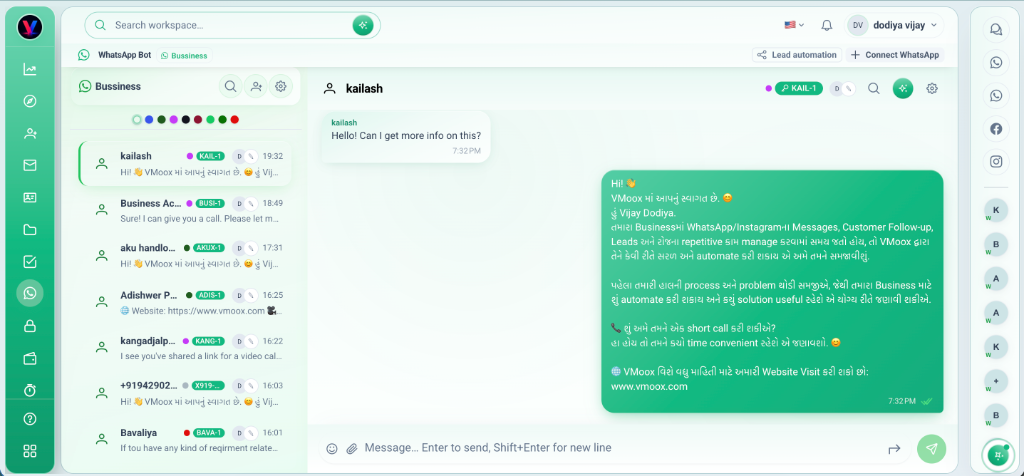
Online sellers lose 60% of sales when WhatsApp chats live on personal phones, inquiries go unanswered for hours, and risky unofficial bots get numbers permanently banned by Meta.
Connect with the Official Meta WhatsApp Cloud API: 100% compliant, zero ban risk, multi-agent shared inbox, automated instant replies, and pre-approved marketing broadcasts.
Deep capabilities teams use from day one — not a lightweight add-on.
Direct Meta infrastructure with verified Blue/Green Tick eligibility and 99.9% uptime.
Assign conversations, add internal notes, and manage chats as a team without sharing phones.
Send promotional campaigns, new collection drops, and restock alerts with approved templates.
Showcase clothing collections, dress sizes, and SKU pricing directly inside the WhatsApp chat.
Send automated order confirmation, payment links, and live tracking numbers via WhatsApp.
View customer purchase history, past orders, and size preferences right beside the active chat.
Official Meta infrastructure built for clothing sellers, online stores, and D2C brands.
Never worry about phone bans or session disconnects again.
Official Meta Embedded Signup makes onboarding fast, verified, and completely secure.
Click 'Connect with Meta', log into Meta Business Manager, and verify your phone via OTP.
Create pre-approved Meta message templates for order notifications and promotional campaigns.
Your team replies from one unified inbox with customer order history and product details attached.
Trigger automated order confirmations and courier tracking messages when orders change status.
Real scenarios where teams run this feature every week.
Auto-send dress size options, fabric details, and UPI/Razorpay payment links when shoppers inquire.
Recover abandoned carts, send festive discount broadcasts, and automate order tracking updates.
Resolve sizing queries, exchange requests, and order tracking with multi-agent routing and quick canned replies.
Connect via official Meta Embedded Signup in 2 minutes. Broadcast verified templates, share interactive catalogs, and automate customer orders with zero ban risk.
