How it works — Vmoox

Getting started

How it works

From signup to automated workflows in four steps — no rip-and-replace migration.
  • 4 clear steps
  • No migration project
  • Live in one afternoon
Leads · Messages · Payments
Unified workspace

One workspace replaces the tool stack

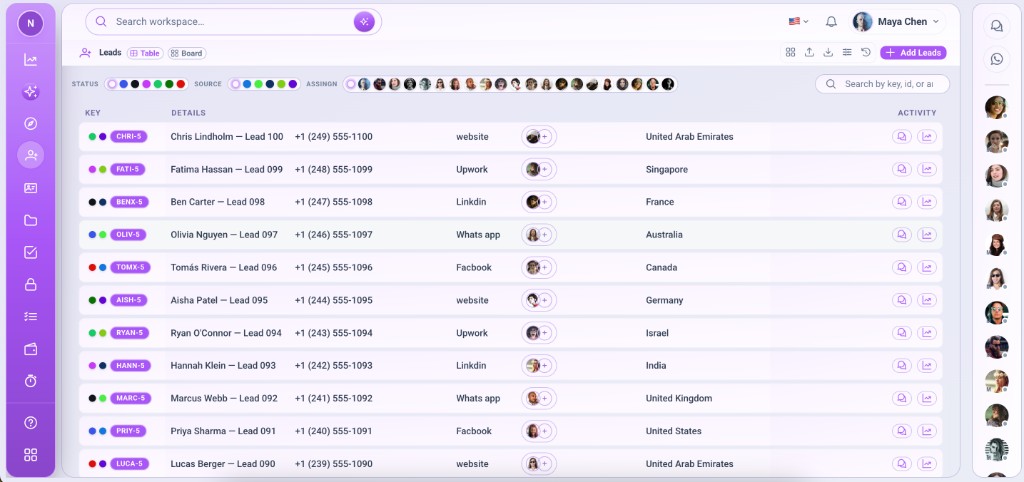
Most teams don't need another CRM or chat app — they need one place where leads, messages, files, and payments connect. Vmoox is built around that idea from signup to scale.
Leads · Messages · Payments
One workspace replaces the tool stack

Your path to a unified workspace

From signup to automated workflows in four steps — no rip-and-replace migration.

  1. Step 1

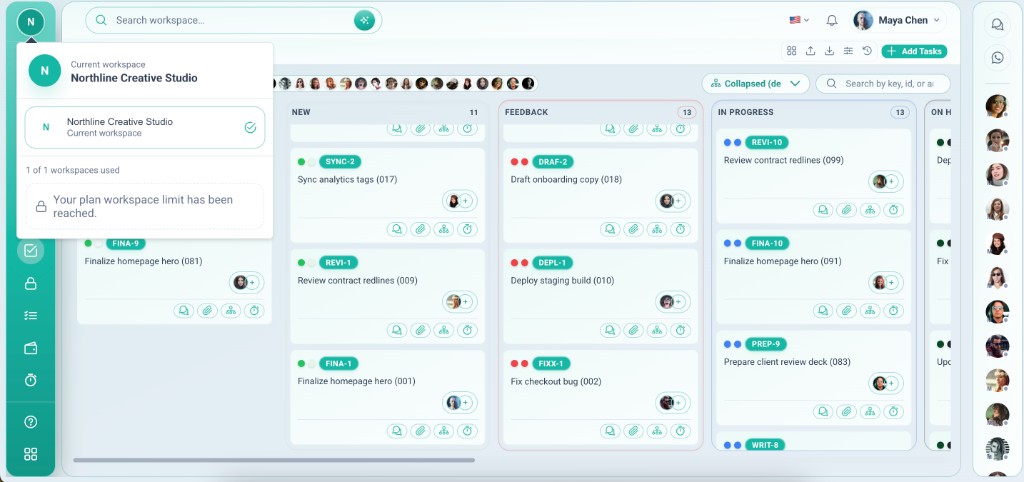
    Create your workspace

    Sign up, invite your team, and install the apps you need — Leads, HRM, or custom apps.

    • Register and create your first workspace in minutes
    • Invite owners and members with role-based access
    • Install Leads, HRM, Tasks, or custom apps from the hub
    • Add more workspaces later for clients or brands
    Pick apps and invite teammates in minutes
    Create your workspace
  2. Step 2

    Connect communication

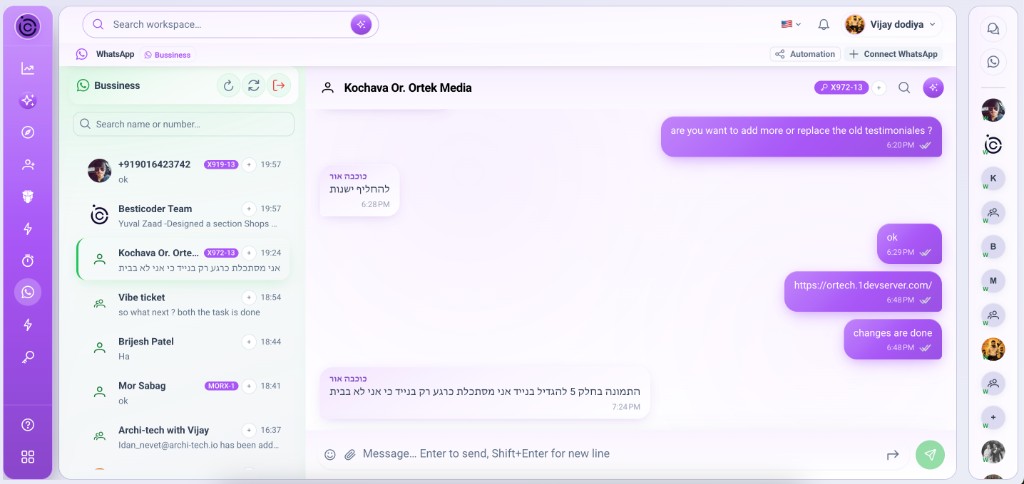
    Use team messaging and link WhatsApp lines so every customer conversation sits next to the record.
    • Turn on team messaging for internal coordination
    • Connect WhatsApp lines for customer conversations
    • Link chats to lead records for deal context
    • Assign inbox threads so nothing sits unowned
    Inbox threads linked to the same lead row
    Connect communication
  3. Step 3

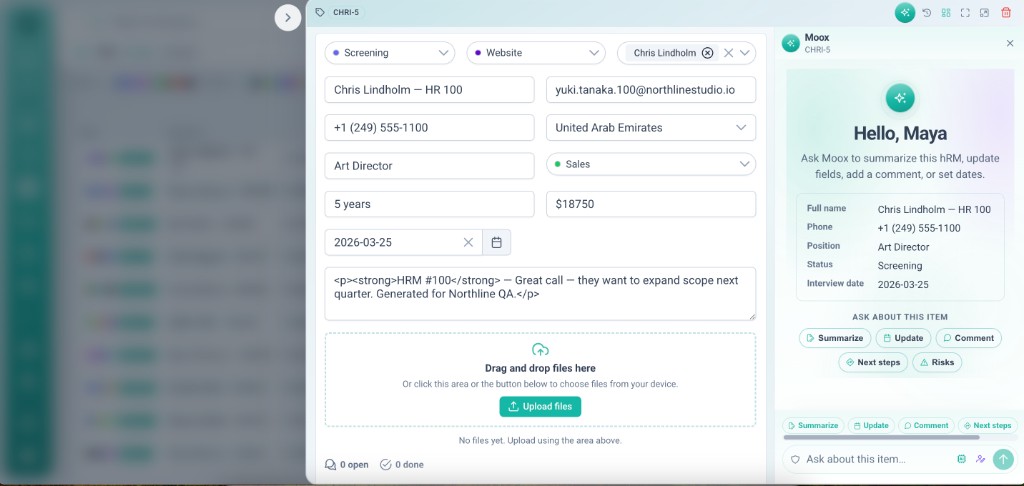
    Work on records

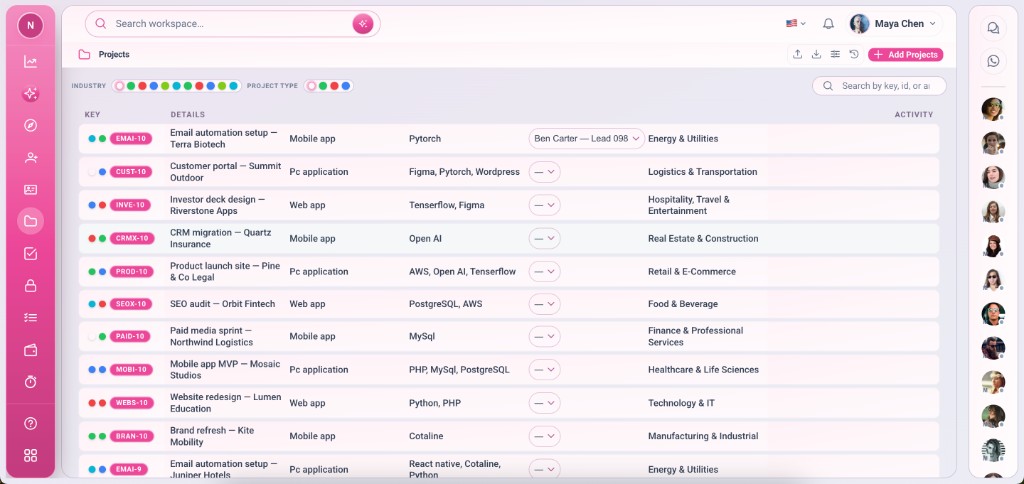
    Comments, files, checklists, payments, and time tracking live on the same row — full context, no tab switching.

    • Work leads and projects in table or board views
    • Add comments, files, and checklists on the row
    • Track payments and time without leaving the record
    • Hand off with full history — not a Slack recap
    Checklists, files, and payments on one record
    Work on records
  4. Step 4

    Automate and scale

    Reduce manual steps with rules, API integrations, and upcoming AI features — move faster every week.
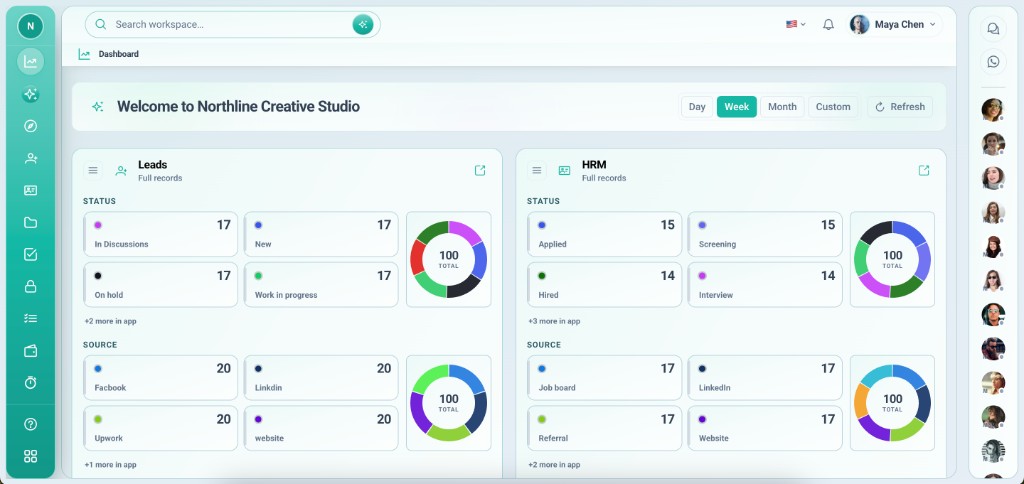
    • Reduce copy-paste with everything on one record
    • Connect external tools through the API
    • Prepare for inbox rules and assignment automation
    • Scale plans when teams and workspaces grow
    Rules and integrations that run while you work
    Automate and scale

Why teams unify on Vmoox

The platform is designed so each layer reinforces the next — not another tab in the browser.

01

Workspace first

Every team or client gets an isolated environment — apps, data, and chat stay together.

02

Records as the hub

Leads, projects, and tasks are rows with integrations attached — not loose entries in separate tools.

03

Communication in context

Team chat and WhatsApp sit beside the record so handoffs include full history.

04

Integrations built in

Comments, files, checklists, and payments are sub-apps on every row — no Zapier required for basics.

05

Permissions that scale

Plans and roles control who sees what as contractors, departments, and clients multiply.

06

Automation-ready

Unified data today; rules, API workflows, and AI assist on the roadmap tomorrow.

What changes when everything connects

Teams switch to Vmoox to stop losing context — and stay for speed as they grow.

  • One login for projects, leads, messages, and payments
  • Every customer conversation tied to the right record
  • Less copy-paste between tools — more time for clients
  • Files and invoices live on the deal — not in email threads
  • Onboard new hires into one workspace, not five apps
  • Visibility for owners without micromanaging every tool
  • Room to grow from solo to team on the same platform
  • A path to automation without replatforming later
Product tour

See Vmoox in 90 seconds

Watch how teams unify leads, messages, and payments in one workspace — from first signup to daily delivery.

FAQ

How it works — FAQ

Common questions before you create a workspace.

No rip-and-replace required. Most teams start fresh in Vmoox for new work, then import or connect systems over time via API where needed.

Ready to unify your workflow?

Start free with Starter — upgrade when your team needs more workspaces and apps.
  • Free Starter plan
  • Setup in minutes
  • Upgrade when you scale
Compare plans