

The problem
Credentials live in personal password managers or chat messages. Offboarding means hunting for who has which login.
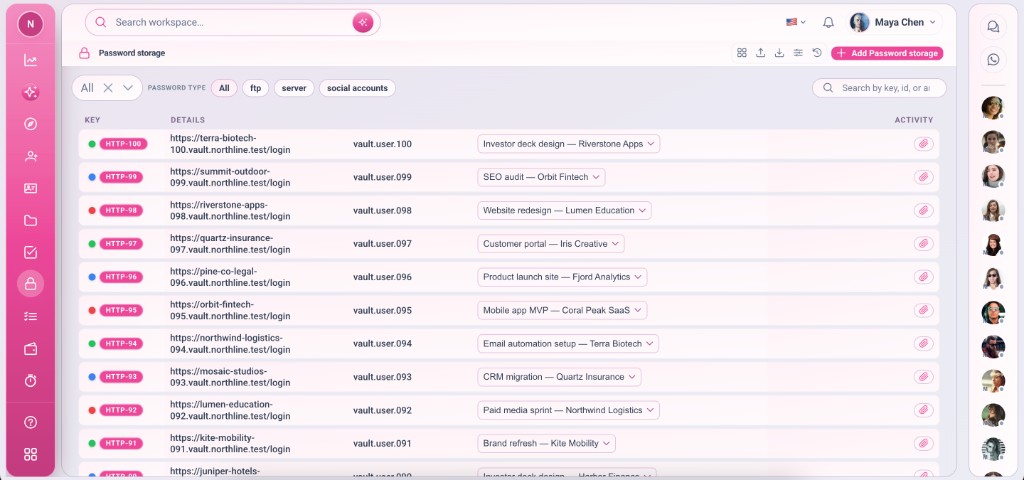
Team vault for logins and secrets — tied to projects, with controlled access and notes on each entry.
Credentials live in personal password managers or chat messages. Offboarding means hunting for who has which login.
Password storage is a records app linked to Projects. Store URL, username, password, and notes per entry — workspace-scoped with permissions like any other app.
Deep capabilities teams use from day one — not a lightweight add-on.
Each credential points at a client project.
URL, login, password, and free-form notes.
Only members with app permission see entries.
Attach related docs or env files.
Find credentials by project or name.
Revoke workspace access — not personal vaults.
Shared secrets with project context.
Sixth in our app order — before Payment and Timo.
Install with Projects for best workflow.
Default Apps → Password storage.
Point entry at the client project row.
URL, username, password, notes.
Only permitted members open the app.
Real scenarios where teams run this feature every week.
Staging and production logins per client project.
Social and ad platform access for clients.
Shared service accounts for the team.
Team vault for logins and secrets — tied to projects, with controlled access and notes on each entry.
