

Das Problem
Support lives in email while users struggle in another tab's generic docs.
Read help articles and FAQ in the product — workspace owners open and reply to support tickets with attachments without leaving Vmoox.
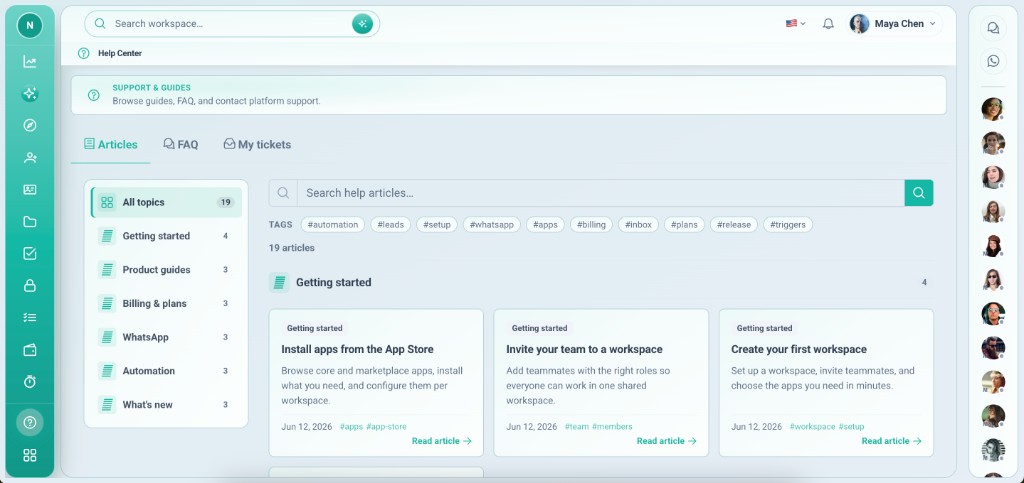
Support lives in email while users struggle in another tab's generic docs.
Help Center is a system app in the sidebar — guides for daily work, FAQ, and ticket threads scoped to your workspace.
Tiefgehende Funktionen, die Teams vom ersten Tag an nutzen.
Product guides inside the shell.
Quick answers without leaving work.
Workspace-scoped support threads.
Screenshots on ticket replies.
Workspace owners manage their side.
Marketing help center syncs content.
Support and docs where you work.
System shell app — auto-installed on new workspaces.
Help Center auto-installs.
From sidebar.
Or browse articles.
If you need support.
Screenshots for faster resolution.
Reale Szenarien, in denen Teams diese Funktion jede Woche nutzen.
Read getting started in Help Center.
Open ticket with screenshot.
Reply to team questions in one place.
Read help articles and FAQ in the product — workspace owners open and reply to support tickets with attachments without leaving Vmoox.
