

Kleinunternehmen automatisieren — Vmoox

For small teams

Kleinunternehmen automatisieren

Vom ersten Lead bis zur bezahlten Lieferung — ein Vmoox-Workspace, kein Tool-Chaos.
  • No Zapier required
  • Free Starter plan
  • Live in one afternoon
Lead → message → delivery → paid
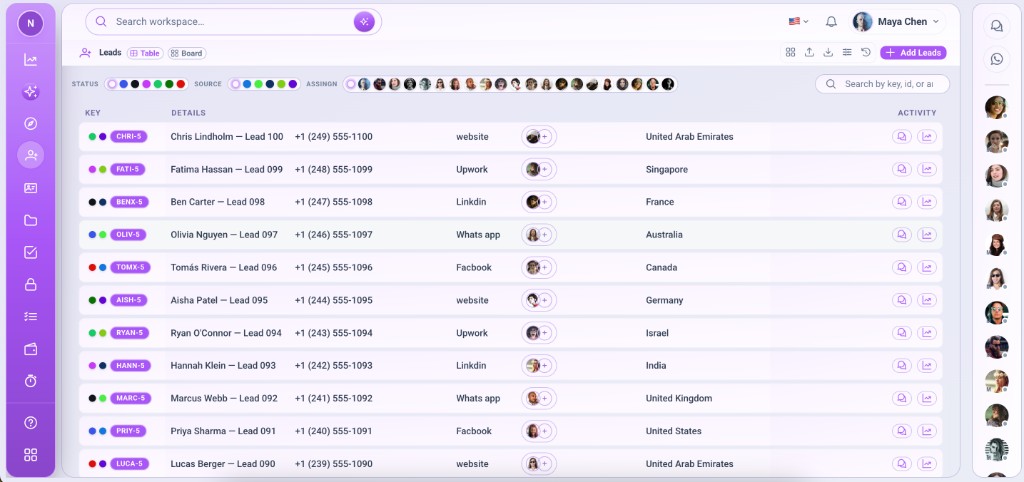
Leads pipeline

Stop copying leads between apps

Small teams lose hours moving inquiries from WhatsApp to spreadsheets, then to task tools, then to invoicing. Vmoox keeps the full journey on one record — so you automate by structure, not by duct tape.
  • 1login for the whole flow
  • 0migration projects
  • 4+apps on one workspace
Lead → message → delivery → paid
Stop copying leads between apps

Ihr Automatisierungspfad

Six connected stages — each one lives on the same row in Vmoox.

  1. 1CaptureLead lands as a row
  2. 2RespondWhatsApp & chat in context
  3. 3PlanTasks & checklists attached
  4. 4DeliverFiles & time on the record
  5. 5InvoicePayment without leaving the deal
  6. 6GrowReports & automation ready

How small teams run it in Vmoox

Every stage uses the same workspace — install apps once, then work from the record.

  1. Phase 1

    Capture every lead in one place

    Web form, referral, or WhatsApp inquiry becomes a lead row — with owner, status, and source already on the record.

    • Install Leads from the apps hub in minutes
    • Assign owners so nothing sits unowned
    • Track source and status on every row
    • Add more workspaces later for clients or brands
    New inquiries become pipeline rows instantly
    Capture every lead in one place
  2. Phase 2

    Reply without losing context

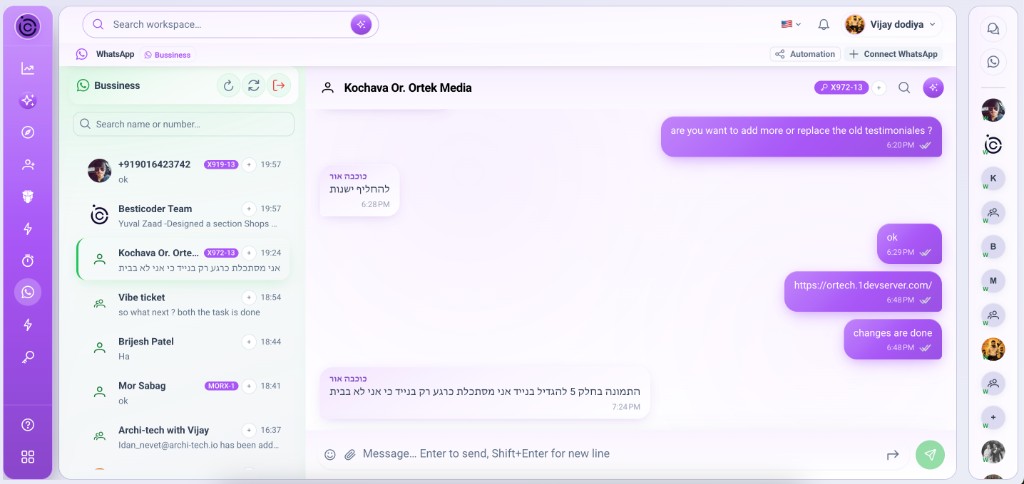
    Connect WhatsApp and team chat so every customer thread sits beside the lead. Handoffs include full history — not a screenshot in Slack.

    • Connect WhatsApp lines for customer conversations
    • Use team messaging for internal coordination
    • Link chats to lead records for deal context
    • Assign inbox threads so replies stay owned
    Customer threads linked to the same lead row
    Reply without losing context
  3. Phase 3

    Scope work on the record

    Add tasks, checklists, and due dates on the same row. Everyone sees what “done” means before work starts.
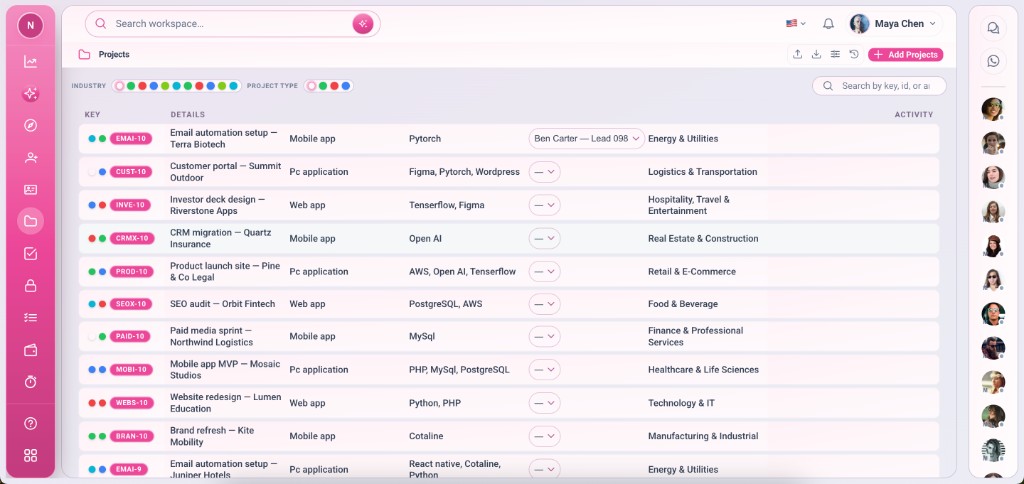
    • Install Tasks or use Leads board views
    • Add checklists so scope is visible to clients
    • Set due dates and owners on the row
    • Hand off with full history — not a recap email
    Boards and checklists on one deal
    Scope work on the record
  4. Phase 4

    Deliver with full visibility

    Files, comments, and time tracking live on the row. Owners see progress without chasing updates in three apps.

    • Attach files and briefs on the record
    • Log time with Timo without leaving Vmoox
    • Comment @ teammates on the row
    • See status without micromanaging every tool
    Files, comments, and time on one record
    Deliver with full visibility
  5. Phase 5

    Invoice and get paid on the deal

    Log payments and invoices on the lead or project row — no exporting to a separate billing tool for basic delivery work.
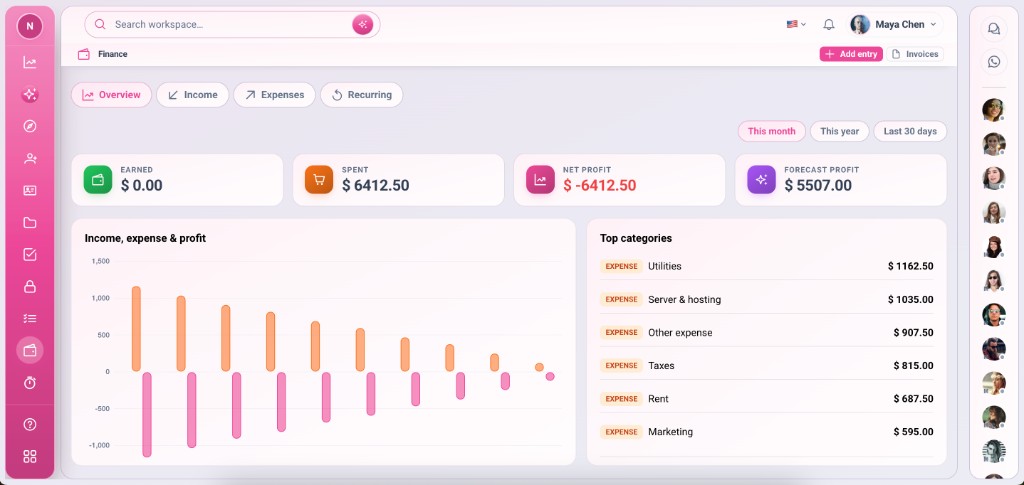
    • Log payments on the lead or project row
    • Keep invoice notes beside the deal
    • Share context with finance without re-exporting
    • Upgrade plans when volume grows
    Payments tracked on the same row
    Invoice and get paid on the deal
  6. Phase 6

    Automate what repeats

    Unified data today; API access, inbox rules, and AI assist on the roadmap. Start manual, automate when patterns are clear.
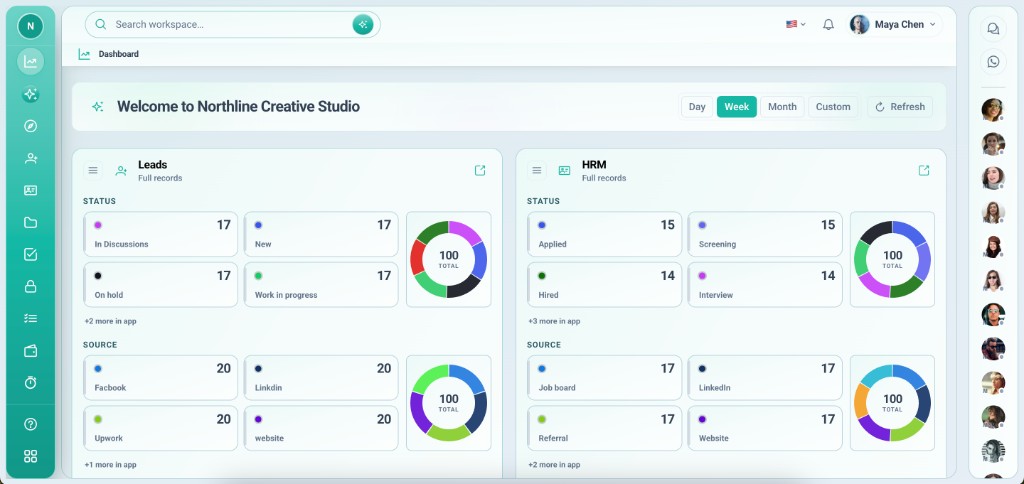
    • See pipeline and activity in one workspace
    • Connect external tools through the API
    • Prepare for inbox rules and assignment automation
    • Scale from solo to team on the same platform
    Visibility today, rules tomorrow
    Automate what repeats

Automation wins you can start today

You do not need a complex setup — these patterns work on day one with Starter.

  • One record per client

    Every inquiry becomes a row with owner, status, and chat attached — no duplicate entries across tools.

    Install Leads + WhatsApp first
  • Checklists beat status meetings

    Define “done” on the row with checklists and files. Clients and contractors see the same truth.

    Use sub-apps on every record
  • Pay on the deal

    Log deposits and invoices on the row so delivery and billing never diverge.

    Enable Payment on key apps
  • Hand off with history

    WhatsApp and internal chat stay on the record — new hires onboard into one workspace, not five apps.

    Invite teammates with roles
  • Start manual, automate later

    Unified data is the foundation. Connect the API or adopt rules when your process is repeatable.

    Explore automation features
  • One afternoon setup

    Create a workspace, install apps, invite your team, and run your first pipeline the same day.

    Free Starter — no card required

Before vs with Vmoox

What changes when small teams stop juggling tools.

Scattered tools

  • Lead in WhatsApp, deal in spreadsheet, tasks elsewhere
  • Copy-paste between chat and CRM
  • Invoices in email threads
  • New hire needs five logins
  • Owner chases updates manually

One workspace

  • Lead, messages, tasks, and payment on one row
  • Every conversation tied to the right record
  • Files and invoices live on the deal
  • Onboard into one workspace
  • Visibility without micromanaging
FAQ

Automatisierung — FAQ

Common questions from small teams getting started.

For the basics — leads, messaging, tasks, files, and payments on one record — Vmoox sub-apps cover it. Use the API or roadmap automation features when you need deeper rules.

Bereit, in einem Workspace zu automatisieren?

Start free with Starter — unify capture, delivery, and payment without replatforming later.

  • Free Starter plan
  • Setup in one afternoon
  • Upgrade when you scale
See the 4-step overview