

Das Problem
Teams bend generic CRMs with custom objects that still do not match how they work — or they maintain spreadsheets beside the official tool.
When catalog apps do not fit your process, workspace owners create records apps with a form builder, views, and full integration rails.
Teams bend generic CRMs with custom objects that still do not match how they work — or they maintain spreadsheets beside the official tool.
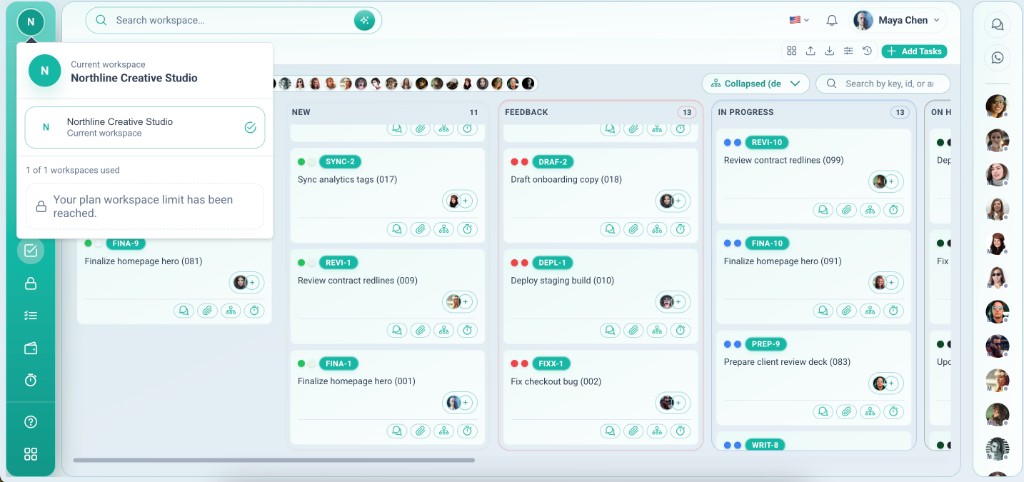
Use Create app in the Apps hub: name your app, pick an icon, define fields, add table or board views, and get Comments, Files, Payment, Timo, and more on every row — same as Leads or Projects.
Tiefgehende Funktionen, die Teams vom ersten Tag an nutzen.
Define fields that match your workflow — not a generic template.
Switch between table, board, and calendar on the same data.
Comments, files, checklist, payment, and Timo on custom rows.
Custom apps live under Your apps — separate from Default Apps.
Control who sees and edits each custom app by role.
Point records at Leads, Projects, or other apps.
Your process, Vmoox integrations.
Custom apps use the same dynamic records engine as admin-seeded catalog apps.
Owners build; members work — same as catalog apps.
Go to Your apps and choose Create app.
Add fields and pick icon and name.
Table or board with filters for how the team works.
Rows open with full integrations on the rail.
Reale Szenarien, in denen Teams diese Funktion jede Woche nutzen.
Custom app for suppliers with files and checklist on each row.
Serial numbers, locations, and maintenance checklists.
Board view of onboarding stages with payment milestones.
When catalog apps do not fit your process, workspace owners create records apps with a form builder, views, and full integration rails.
