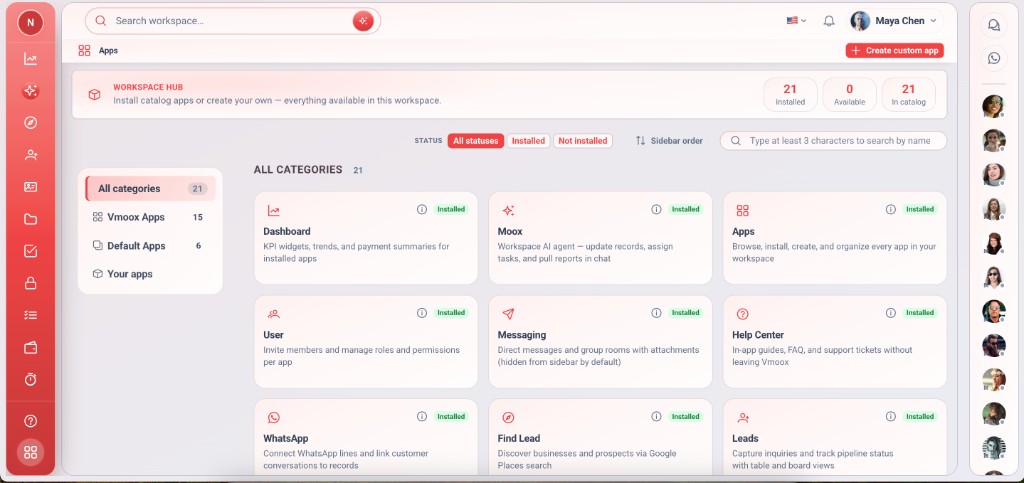
Vmoox vereint Leads, Projekte, Nachrichten und Zahlungen in einem Datensatz — Moox versteht Ihren gesamten Geschäftskontext und hilft Ihrem Team schneller zu handeln.
Vmoox bitten, einen Deal zu aktualisieren, eine Aufgabe zuzuweisen oder einen Report zu ziehen…
Einführung
Vmoox in Aktion sehen
Eine kurze Einführung: Leads, Projekte, Nachrichten und Zahlungen in einem Workspace.
Smart Search
Find leads, messages, files, and tasks across your entire workspace in seconds.
AI Reporting
Generate pipeline, revenue, and time reports with plain-language questions.
Live Insights
Surface stalled deals, missed follow-ups, and workload gaps before they cost you.
Workflow Automation
Route WhatsApp leads, assign tasks, and trigger actions across apps automatically.
Smart Tasks
Turn conversations and record updates into assigned next steps instantly.
Data Analysis
Fragen zu Deals, Zeitlogs und Abrechnung — eine einheitliche Antwort.
KI-Assistenten
Copiloten auf jeder Datensatzzeile für Antworten, Zusammenfassungen und Status-Updates.
Moox-Befehle
Vmoox in natürlicher Sprache anweisen — Datensätze aktualisieren, Arbeit zuweisen, Workflows auslösen.
OFFICIAL META TECH PARTNERSHARED OMNICHANNEL INBOX
WhatsApp, Instagram DMs, Comments & Facebook — One Shared Inbox for Your Whole Team
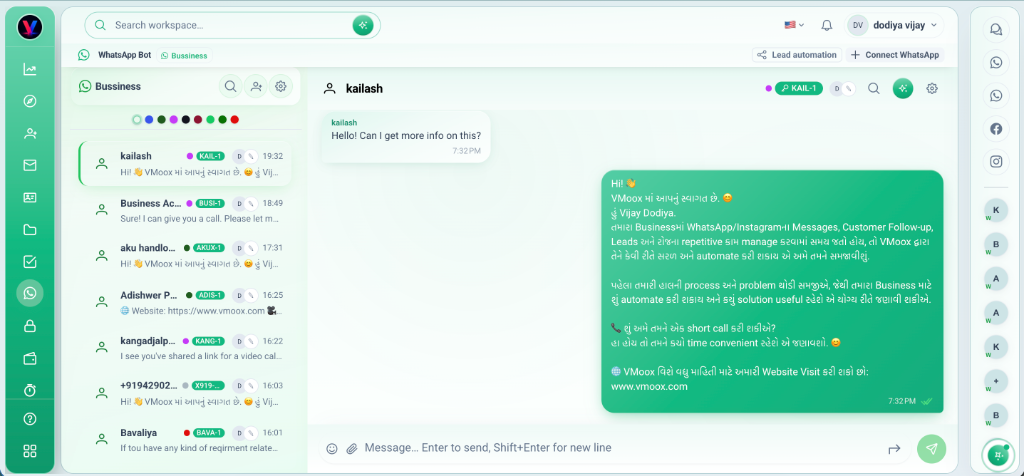
Never lose an inquiry or miss a sale. Connect your official WhatsApp Business line, Instagram professional account, and Facebook page into one shared team inbox. Multiple agents reply from one number, comments automatically trigger product price DMs, and orders are tracked in real time.
WhatsApp- und E-Mail-Apps in derselben Workspace-Oberfläche
Gemeinsame Posteingänge mit Zuweisung, Suche und Ordnern
Threads mit Leads verknüpfen — oder Leads aus neuen Kontakten anlegen
Moox analysiert Nachrichtenkontext am verknüpften Datensatz
Everything You Need to Sell and Scale on Social Media
From official WhatsApp Business Cloud API and Instagram Comment-to-DM automation to clothing product catalogs, customer orders, and back-office delivery.
Illustrative metrics for early access — update with verified numbers before paid campaigns.
Before vs after
Your Business Is Scattered Across Too Many Tools
The old stack
CRMHubSpotSilo
ProjectsAsanaSilo
TasksTrelloSilo
CommunicationSlackSilo
HRBambooHRSilo
Time TrackingHubstaffSilo
FilesGoogle DriveSilo
FinanceQuickBooksSilo
Vmoox
whatsappLive preview
Everything connected
1
2
3
4
Single platform
Single login
Single database
Single workspace
Product architecture
Built Around Workspaces, Apps and Records
The same structure your team uses in the product — explained simply.
01
Workspace
Your team's business hub — one place for people, permissions, and data.
Team members
Roles & access
Isolated environment
02
Apps
Install CRM, HRM, projects, and custom apps inside the workspace.
Leads & CRM
HRM
Projects
Custom apps
03
Records
Every deal, project, and employee row — with files, chat, tasks, and payments attached.
Deals
Projects
Employees
Invoices
Platform comparison
Why Teams Choose Vmoox
One workspace replaces a stack of point solutions — without losing depth in any area.
12capabilities fully covered
Included
Limited
Not included
Capability
Vmoox
Traditional CRM
Project tools
HR tools
Time tools
CRM
Projects
HR
Time tracking
Communication
Files on records
Payments
Custom apps
Workspace architecture
Single database
Unified permissions
Integrated workflows
Product tour
See Vmoox In Action
Install an app, open it, work on a task, and ask Moox on the record — four steps in one workspace.
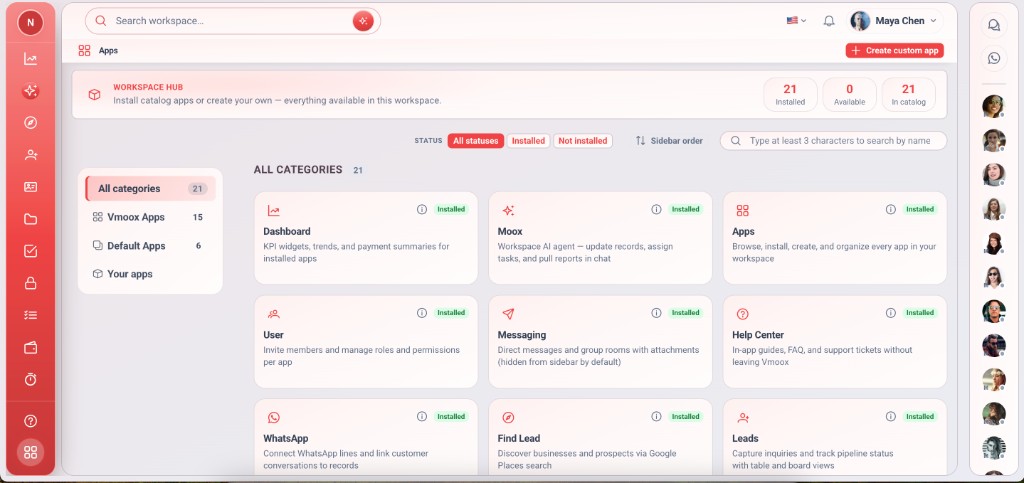
Install appsLive preview
Browse the Apps hub and install CRM, Tasks, Finance, and more — no separate logins.
Customer stories
What Teams Are Saying
Teams use Vmoox to replace scattered tools and keep every client, project, and conversation in one workspace.
4.9/5Average rating
3 daysTypical onboarding
4+Tools replaced
Replaced 4 tools
We moved CRM, projects, chat, and WhatsApp into Vmoox in one week. Our team stopped copying updates between apps — everything lives on the record now.
WhatsApp + CRM
Client WhatsApp threads finally sit next to the deal. Follow-ups are obvious, and my team always knows who said what without digging through phones.
Pipeline clarity
Every conversation ties to the lead. We cut weekly pipeline meetings in half because the history is already there — notes, messages, and next steps.
Projects + time
Kanban, milestones, and Timo time logs on the same project record changed how we bill. No more reconciling Hubstaff with Asana at month end.
One workspace
Vmoox feels enterprise-grade without enterprise complexity. Permissions, files, and finance on one platform — our partners adopted it faster than any tool we tried.
HR + permissions
Roles, departments, and workspace access in one place made onboarding new hires painless. HR records connect to the same system our projects run on.
FAQ
Frequently Asked Questions
Quick answers about workspaces, apps, billing, and security.
Vmoox is a Business Operating System — a unified workspace where teams install apps, work on records, communicate, and automate workflows in one place.
No. Vmoox replaces many categories: CRM, projects, HR, time tracking, messaging, files, and payments — connected on the same records.
One login, one database, one permission model. Data stays on linked records instead of syncing between HubSpot, Asana, Slack, and spreadsheets.
A workspace is your team's isolated business hub — members, roles, apps, and all operational data for one company or unit.
Apps are business containers (Leads, HRM, custom apps). Records are rows inside an app — a lead, project, or employee.
Sub-apps attach to records: comments, files, checklist, payments, time tracking, chat, and more — all on the same row.
Access is controlled by subscription plan and workspace role. Users need both plan and role permission for each app and sub-app.
Yes. Teams with app write permission can create custom apps alongside platform system apps installed in the workspace.
Kostenlos starten
Bereit, Ihr Geschäft zu führen und zu wachsen?
Starten Sie mit dem kostenlosen Starter-Plan — Workspaces und Apps hinzufügen, wenn Ihr Team bereit ist.



 CRMHubSpot
 ProjectsAsana
 TasksTrello
 CommunicationSlack
 HRBambooHR
 Time TrackingHubstaff
 FilesGoogle Drive
 FinanceQuickBooks