

הבעיה
Everyone sees everything or IT maintains a separate permission matrix in spreadsheets.
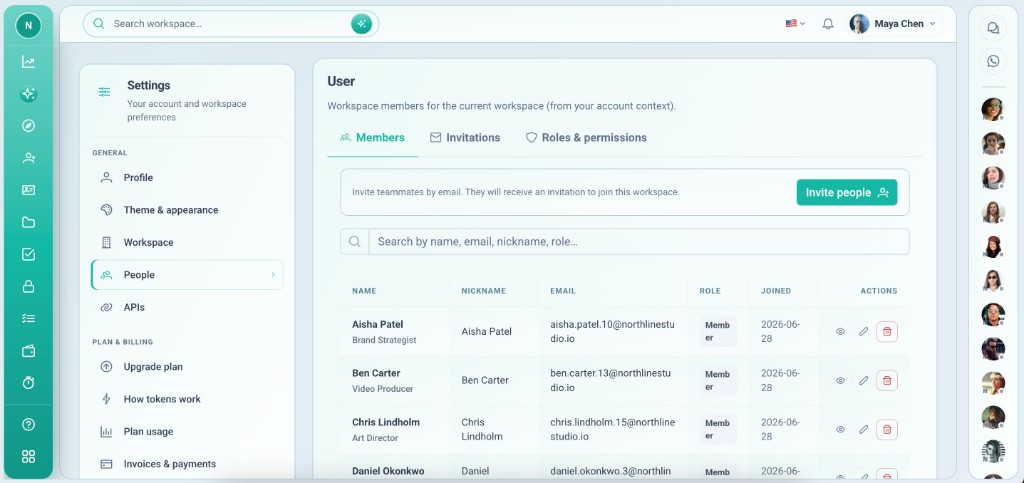
Team members and access — invite by email, assign roles, and control view and edit per app and integration.
Everyone sees everything or IT maintains a separate permission matrix in spreadsheets.
The User system app lists members, pending invites, and a roles matrix for each installed app and integration — owners manage access without leaving Vmoox.
יכולות עמוקות שצוותים משתמשים בהן מהיום הראשון.
Email invites with role.
Toggle access per app.
Comments, Payment, Timo per role.
Revoke when someone leaves.
Sensitive changes restricted.
Same person, different roles per workspace.
Who can see and edit what.
System app for membership and roles.
Open User app from sidebar.
Email and role.
Per installed app.
Comments, files, payment, etc.
Audit who sees sensitive apps.
תרחישים אמיתיים שבהם צוותים משתמשים בתכונה כל שבוע.
See only Tasks and Projects apps.
Payment and Invoice edit without HRM.
Invite as member; expand later.
Team members and access — invite by email, assign roles, and control view and edit per app and integration.
