

הבעיה
Slack threads don't know about the lead or project. Decisions stay in chat while the record stays empty.
Chat with your team in groups and direct messages — inside the same shell as your work.
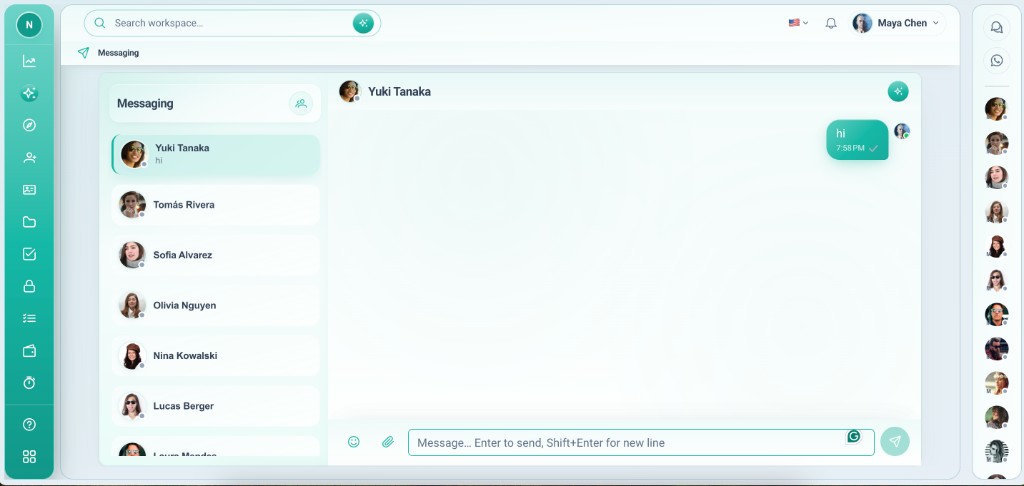
Slack threads don't know about the lead or project. Decisions stay in chat while the record stays empty.
Messaging lives in the same workspace as your apps. Pair team chat with record integrations so internal talk connects to customer work.
יכולות עמוקות שצוותים משתמשים בהן מהיום הראשון.
Create channels for delivery, sales, or leadership — scoped to the workspace.
Quick 1:1 conversations without spinning up external tools.
Messages appear in real time while you work on records.
Team chat and WhatsApp share a communications area on records.
Only members of this workspace see its rooms and history.
Use chat for fast talk; pin outcomes on the record with comments and files.
Internal communication that sits beside your operational data.
Messaging works best when the record holds the decision — not the scrollback.
Available as soon as members are invited.
Messaging is available to workspace members automatically.
Set up groups for teams or projects that need a standing channel.
Chat from the communications area while records stay open nearby.
Move outcomes to comments, checklist, or files so nothing gets lost.
תרחישים אמיתיים שבהם צוותים משתמשים בתכונה כל שבוע.
Run a project room while tasks and files live on the board and record.
Discuss pipeline movement in chat; log decisions on the lead row.
Replace scattered DMs with workspace chat tied to the same login as CRM.
Chat with your team in groups and direct messages — inside the same shell as your work.
